
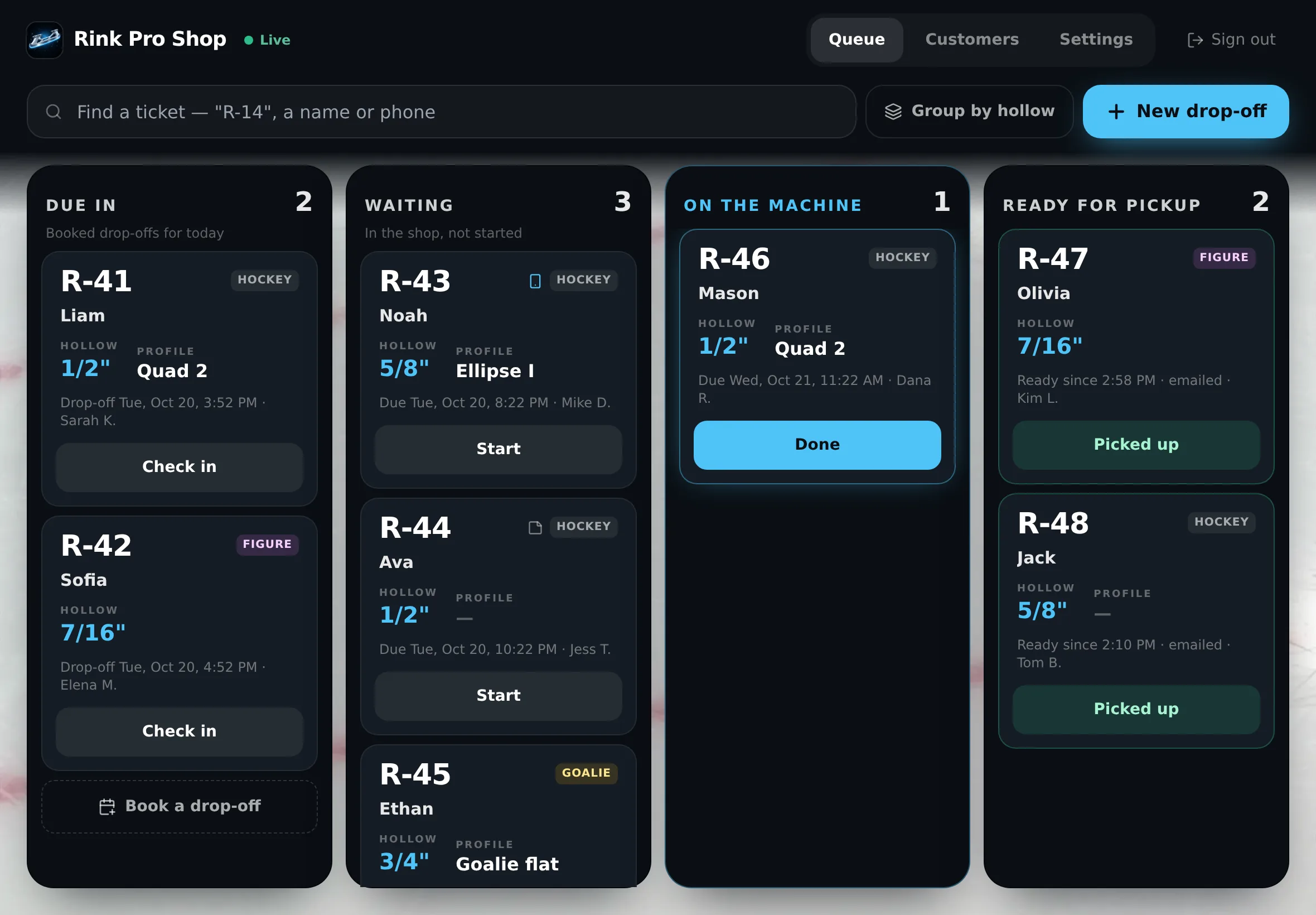
The queue board on the bench iPad. Sample shop and customers.
How a drop-off works
From booking to pickup, nobody loses track of a pair.
- 1
Parents book a drop-off
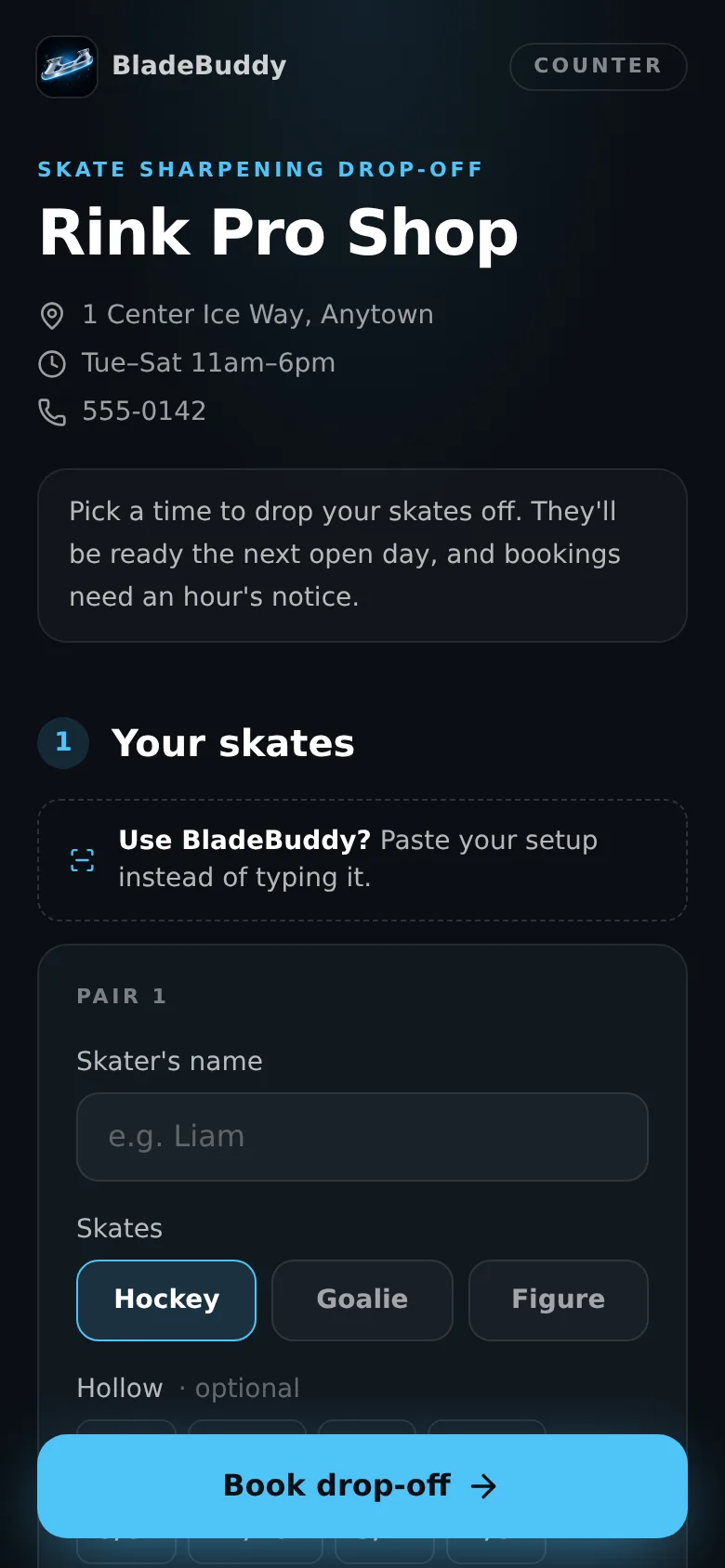
Your own booking page shows open drop-off windows and when the skates will be ready. Each window fills up at the number of pairs you set, so Saturday morning can't overflow.
- 2
Scan the QR at the counter
BladeBuddy users show their setup QR. One scan fills in skater, hollow, profile and notes. No app? Type a name and phone, or find a returning customer in seconds.
- 3
Tap Ready. That's the job.
Every pair gets a short ticket number like R-14 and lands in Waiting. Your staff tap one button: Ready. No forms at the bench, on any screen in the shop.
- 4
Parents know it's ready
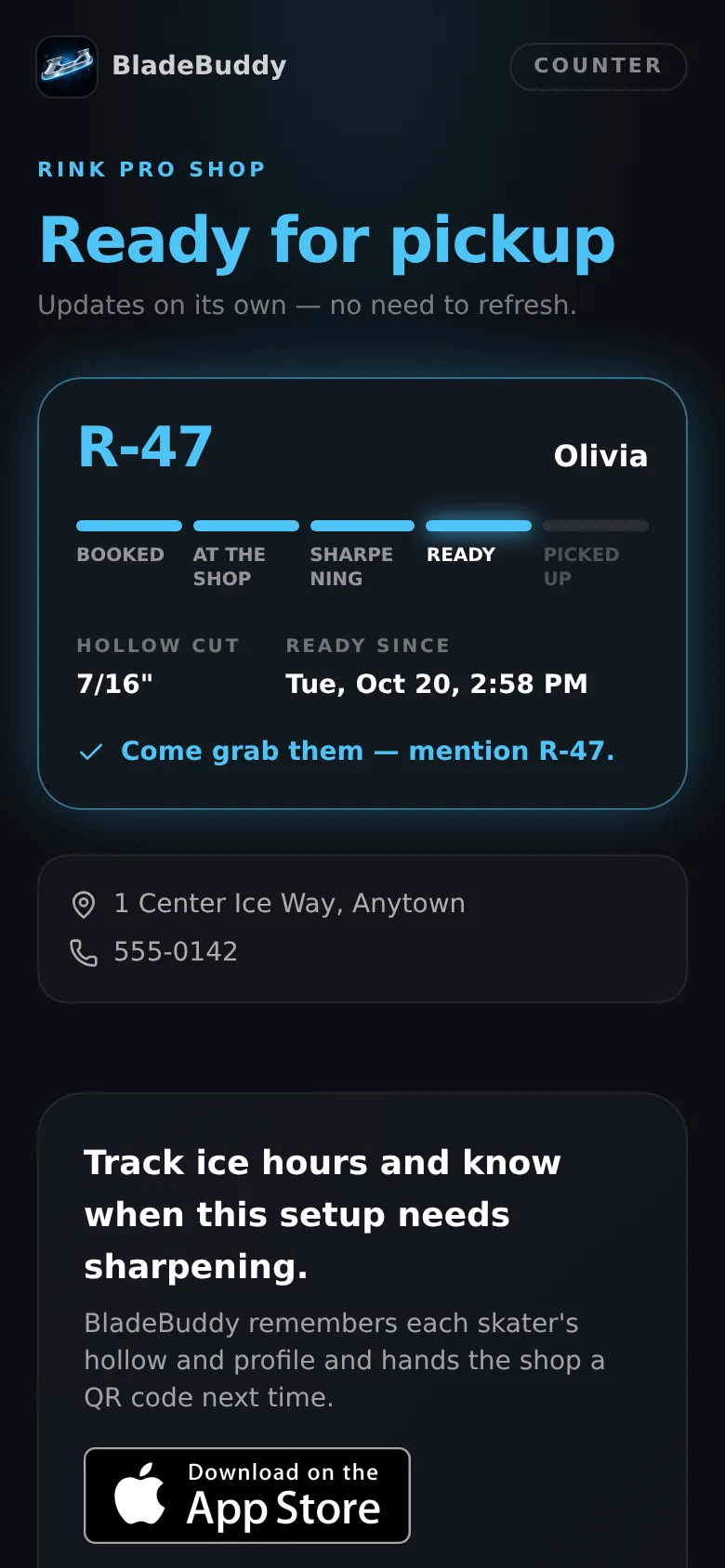
Their status link flips to Ready the moment you tap Ready, with the hollow they asked for. Fewer "are they done yet?" calls.
What's in it
Built around how a sharpening bench actually works.
QR intake
Reads the setup QR from every copy of BladeBuddy already out there. Three kids on one QR become three tickets.
Group by hollow
Line up every 1/2" pair before you redress the wheel for 5/8". Figure skates never show a profile.
Your hours, your limits
Set hours for each weekday, the drop-off window length, pairs per window, notice needed and holiday closures.
24/7 drop box
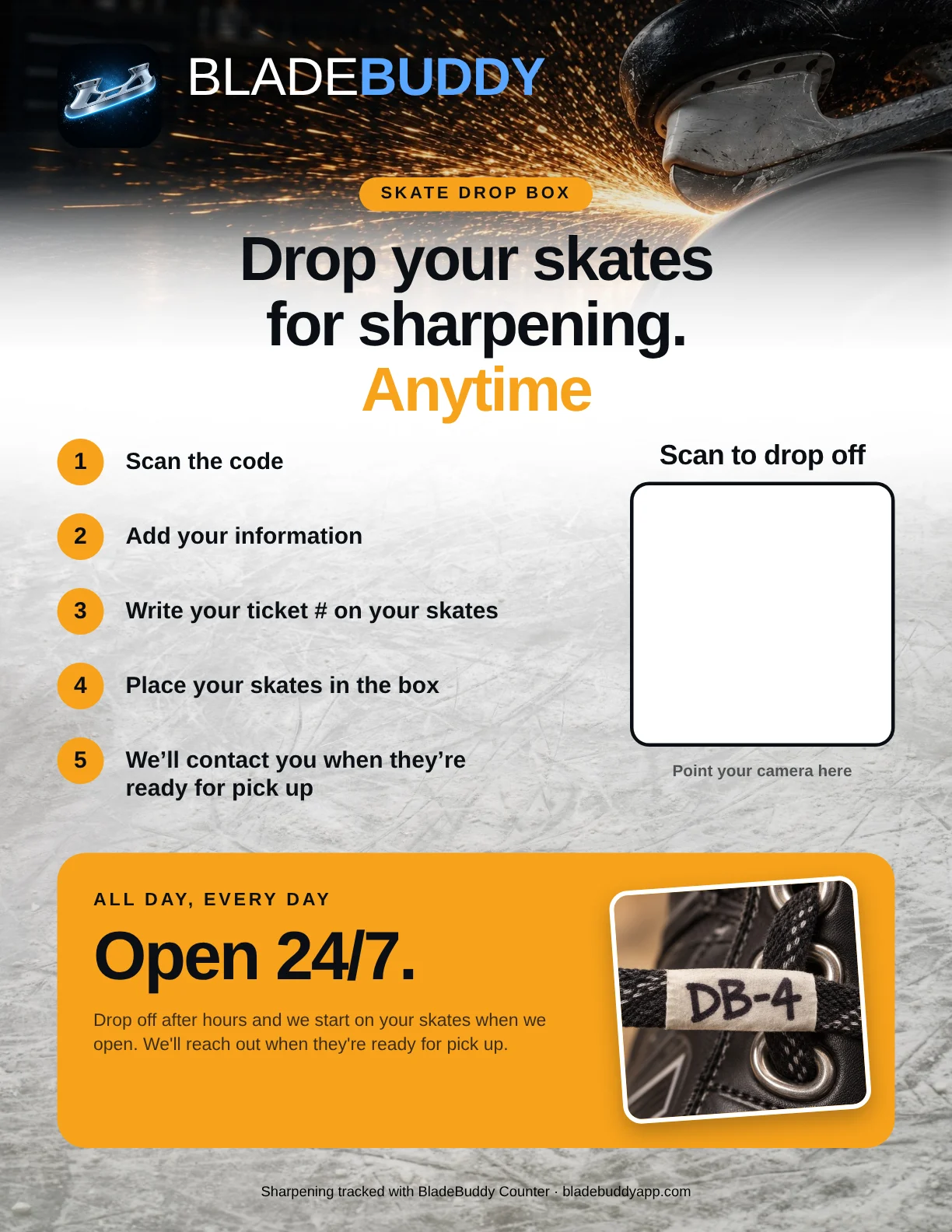
Customers scan the card on your box, add their own skates and write the ticket number on the tag. It's all in Waiting when you open.
Ready alerts
A live status link for every ticket, plus ready emails. Each alert type can be switched on or off for your shop.
Customer log
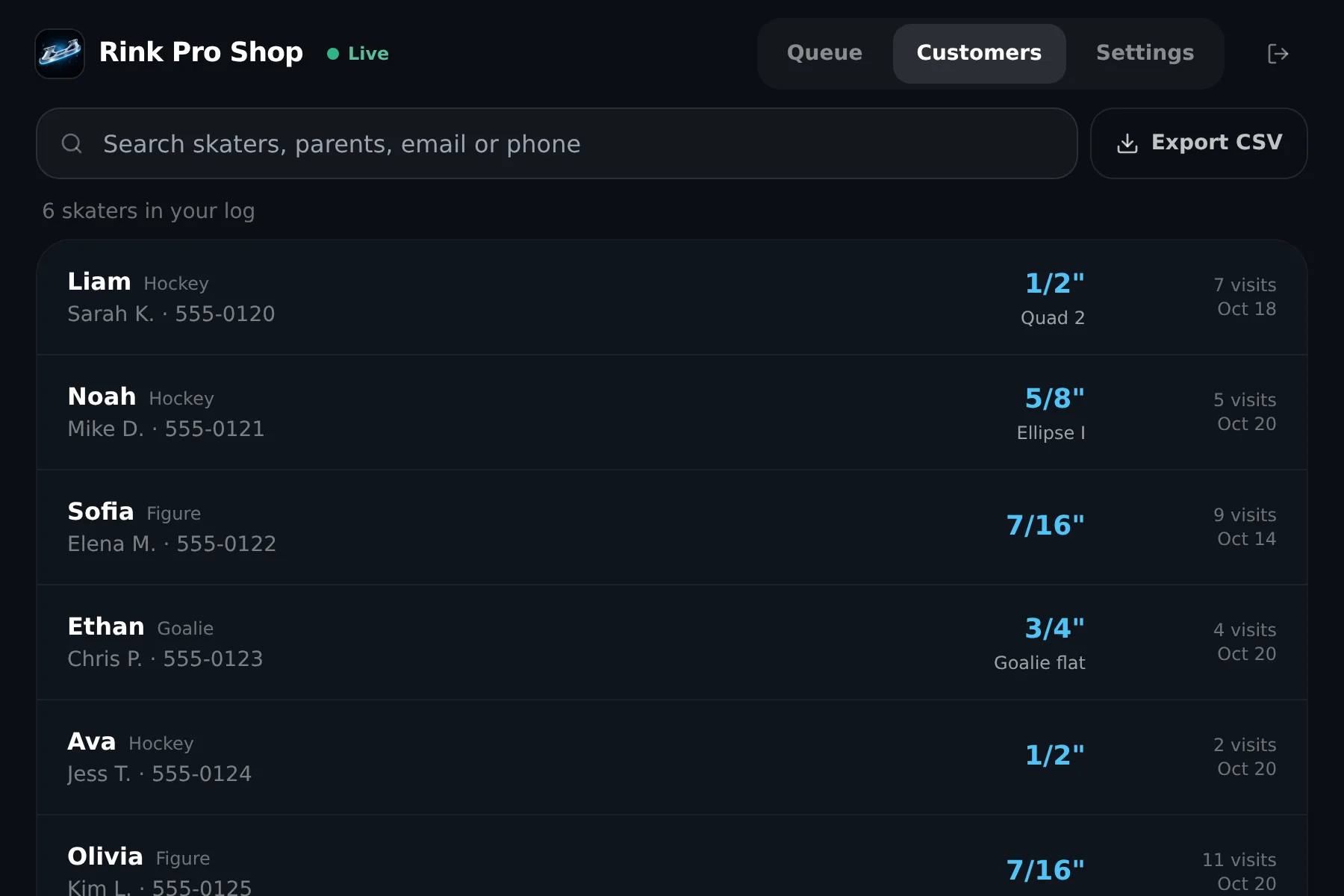
Every skater's last hollow, profile, notes and visit count, so you know what you did last time.
Runs on your iPad
Open it in Safari and add it to the Home Screen. Works on the counter laptop or a phone too. Nothing to install.
Shop passcode
One 4–6 digit code for the bench. Change it and every device signs out. Staff can use their own email instead.
Your data stays yours
Export your whole customer list to a spreadsheet anytime, or delete any customer who asks.
Drop box mode
Your drop box, without the paper tags.
Handwritten tags get smudged, lost and retyped. Put our card on your box instead. Customers scan it any hour, enter their own skater, hollow and contact, and write just a ticket number on the bag.
- Works 24/7, even when you're closed
- Ready times count from when you open
- Every pair waits in the queue with a Box badge
- Print the card from Settings in one click
Your staff tap one button: Ready.
Customer log
"What did we do last time?"
Every ticket adds to your shop's own log: the skater, the parent's contact, the hollow and profile you cut, and any notes. Search by name or phone at the counter, even for families who never download the app.
Search · edit · export to CSV · delete on request
Works with the BladeBuddy app
Families arrive with their setup ready.
Today
BladeBuddy tracks each skater's hollow, profile and ice hours, and checks blade condition from a photo. Parents show you a QR instead of guessing "the usual".
Coming soon
Partner shops show up on the BladeBuddy map with a "Book a drop-off" button. When you tap Ready, the sharpening can be logged in the family's app, with their OK.
BladeBuddy Counter for Pro Shops
$0today, then $50/mo
30 days free · $50/month thereafter · Cancel anytime in one click
- Unlimited skate sharpening queue entries
- Instant QR check-in (scans skater profile & hollow specs)
- Automated SMS completion alerts to skaters & parents
- Runs in Safari/Chrome on any iPad, tablet, or counter laptop
- Zero POS integration required (runs alongside existing register)
- Self-serve billing portal (update card or cancel anytime)
Already a customer? Manage billing
Questions shops ask
What do we need to get started?
An iPad, laptop or phone with a web browser. Your counter is ready the moment you sign up, with a printable counter card for your shop. Set your hours in a few minutes and you can be taking drop-offs the same day.
What do my staff actually have to do?
Tap Ready when a pair is sharpened. Customers type their own details when they book, check in or use your drop box, so nobody fills in forms at the bench. Picked up is one more tap, and anything left in Ready tidies itself away after a week.
Does it work with a drop box?
Yes. Turn on drop box mode and print its card for your box. Customers scan it any hour, add their skates and write the ticket number on the tag or bag. The pairs are waiting in your queue when you open, and their ready time counts from your opening hour.
Do parents need the BladeBuddy app?
No. Anyone can book from your page and get a status link. Families who use BladeBuddy are faster at the counter because their QR fills in the setup.
What does it cost?
Your first 30 days are free, then it's $50 a month. You add a card at sign-up through Stripe and you aren't charged until the pilot ends. No contract: update your card or cancel anytime in one click.
Do we take payments through it?
No. You charge at pickup the way you do now. Counter handles the drop-offs, the queue and the alerts.
What customer information do we see?
Only what a parent gives you: their QR, or what they type when they book. The app never sends a family's history in the background.
Do we need a label printer?
No. Write the ticket number on tape or the bag tag. If your shop wants printed labels, tell us.
Want it at your counter?
Start your pilot and your booking page, queue and printable counter card are ready in minutes. A short checklist walks you through the rest, and you can take your first drop-off the same day.
30 days free · $50/month thereafter · Cancel anytime in one click